|
|
|
 |
Telephone bills constitute a large part of an organisations expense. With NexLabs SMARTBill call accounting system, managers and IP telephony administrators have the control costs and measure the performance of their staff and telephony network. A comprehensive set of reports and tools provide users with broad overviews as well as detailed information all from the comfort of their own desks.
Multi-Function Capabilities
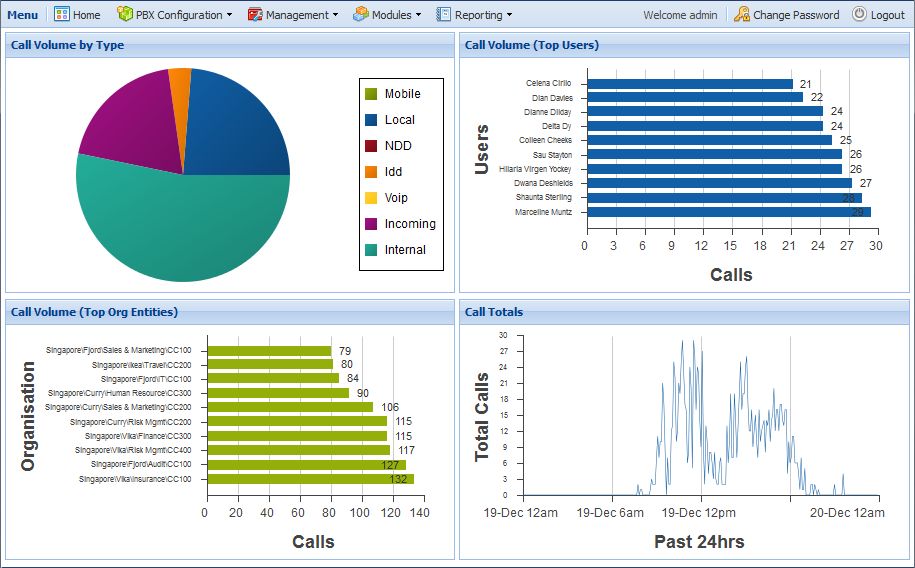 SMARTBill's extensive features include: SMARTBill's extensive features include:
- Powerful user access controls
- Multi-site support
- Multi-tenants support
- Unlimited operator rates
- Flexible organisation structures
SMARTBill provides the phone administrator with great flexibility in organising users in a company, supporting organisations hierarchies up to 10 levels deep. Typical organizational structures like Cost Centre, Department, Division, Branches and Countries are easily modelled.
Centralised Reporting System
SMARTBill is designed to work with multiple Call Managers. This means administrators save money by deploying only one copy of SMARTBill that can be accessed from any web browser. Multiple levels of access control and roles allow administrators to restrict user to only the data they have the right to view.
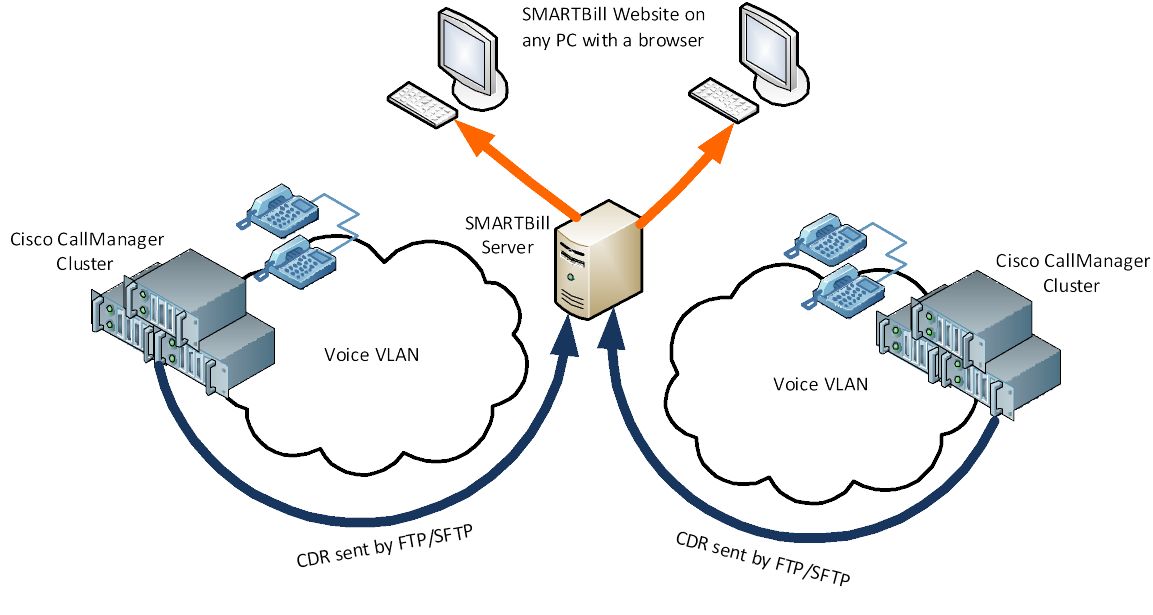
Web-Based Access to System and All Reports
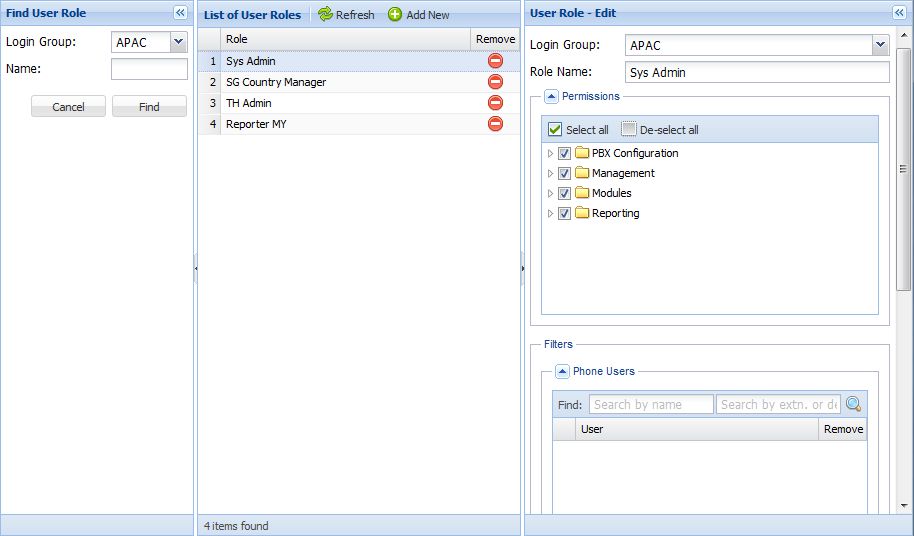 SMARTBill is a web based system. Users need only log in to the SMARTBill web application from any compatible web browser to access all reports and management functions. Access roles can be configured to prevent unauthorised users from access different parts of the system, all with the click of a mouse. SMARTBill is a web based system. Users need only log in to the SMARTBill web application from any compatible web browser to access all reports and management functions. Access roles can be configured to prevent unauthorised users from access different parts of the system, all with the click of a mouse.
Comprehensive and Interactive Reports
All reports can be generated from any modern web browser at any time. Reports can be generated using many different parameters. Among them are:
- Start and End dates
- Selected users and departments
- Tariff plans
- Call Types
- And many more
SMARTBill comes with a comprehensive list of reports. Each report can be output as a Web report, PDF file or Excel file. With the built-in ability to drill down a report, users can quickly and easily obtain more information with the click of a button.
With data-rich reports, Administrators can among other things:
- Allocate costs to departments or users efficiently and easily
- Identify call traffic patterns to help in actively managing congested voice gateways
- Gauge customer service response times to help improve services and customer satisfaction
- Generate reports to help in calculating ROI on their telecoms infrastructure
- Compare tariffs to help decision makers choose the best rates for calls
- Trace calls across the network to see where they end up from the moment it connects to the second it ends
|
|
|





 Competitive Intelligence | Business Communications